• PLATFORM
  • SOLUTIONS
    • Insider Risk Management
    • Enterprise DLP
    • Generative AI Firewall
    • Regulatory Compliance
  • Integrations
  • Company
    • About
    • Partners
    • Careers
    • Contact Us
  • Resources
    • Support Portal
    • Blog
    • Case Study
Talk To An Expert

SLACK INTEGRATIONS

AI-powered Data Loss Prevention
(DLP) for Slack

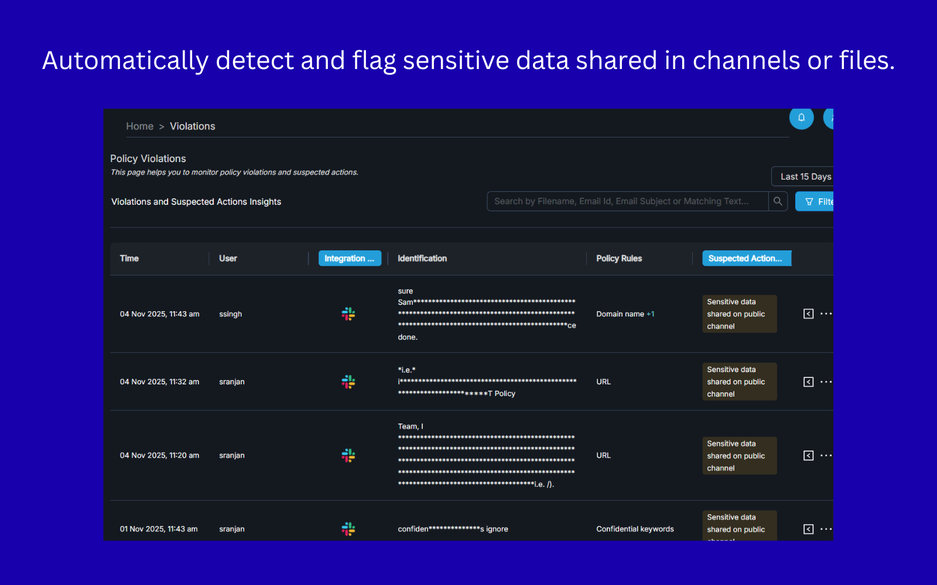
Automatically detect and secure secrets and credentials,
sensitive PII, PHI, PCI data anywhere in Slack.

Book A Demo

How to Configure Slack Integration

Log in & Open Slack Integration

Visit Bytemonk Admin Dashboard and sign in
Navigate to Configurations → Cloud App
Click the settings icon for Slack Integration

Start Configuration

On the Slack integration page, select Configure (top-right)
Choose the Slack workspace and channel for the notification

Authorize & Complete

Click Allow to grant access and finish the integration

Using our Slack App

Adding the App to Slack Public Channels

You can add the app to public channels directly from the admin dashboard.
Alternatively, you can add the app from within Slack by inviting it to the desired public channel.

How the App Detects and Reports Sensitive Data

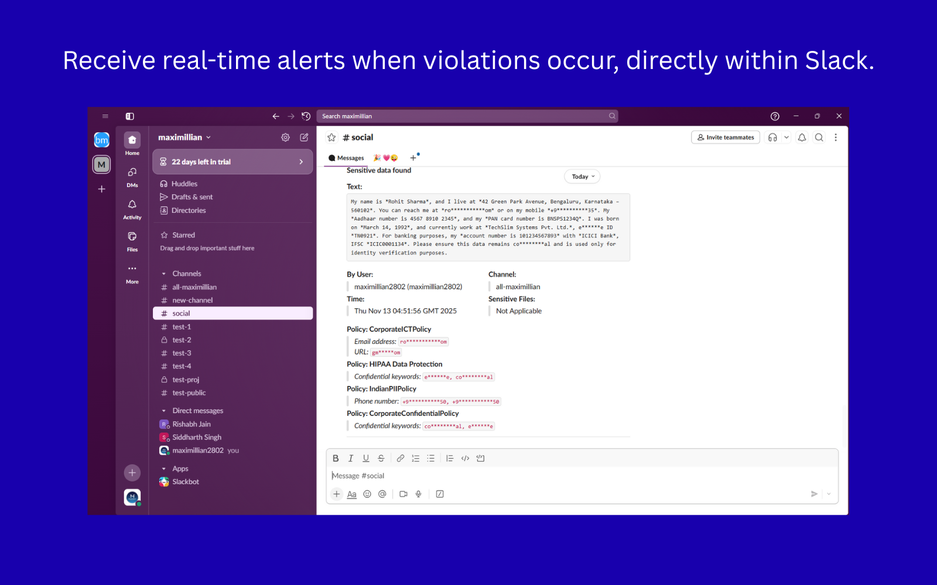
The app monitors messages posted in the public channels it has been added to.
Using the policies defined by your organization, the app identifies sensitive data in messages.
When sensitive data is detected, the app reports it to the channel selected during the integration setup.

Our Slack Privacy Policy & Terms of Service explains how we manage and safeguard Slack data.
 

Need help with your data security program?

Book a Demo
Talk To An Expert

CONTACT US

  • sales@bytemonk.co

SOLUTIONS

  • Insider Risk Management
  • Enterprise DLP
  • Generative AI Firewall
  • Regulatory Compliances

COMPANY

  • About
  • Partners
  • Careers
  • Contact Us

RESOURCES

  • Support Portal
  • Blog
  • Case Studies
Linkedin-in X-twitter Youtube

Copyright © 2025 Bytemonk | Terms of Services | Privacy Policy